
How to Watch Copa América Live via IPTV (2026 Guide)
You can watch Copa América live by subscribing to an IPTV service that carries the tournament’s Spanish- and English-language sports networks, then streaming it through an app like IPTV Smarters Pro or TiviMate on any Smart TV, Fire Stick, phone, or computer. Copa América IPTV access works from any country, is legal when you use a licensed provider, and takes about five minutes to set up.
Copa América is CONMEBOL’s flagship national-team tournament and one of the oldest international football competitions in the world, contested by the ten South American federations plus invited guest nations. Because broadcast rights are split across dozens of regional networks, fans who travel, live abroad, or simply want every match in one place increasingly turn to IPTV instead of juggling separate cable packages or geo-blocked apps. This guide breaks down exactly which channels carry the tournament by region, how to set up IPTV correctly, what device gives the smoothest picture, and how to confirm a service is legitimate before you pay for it.
What Is IPTV and Why Fans Use It for Copa América
IPTV (Internet Protocol Television) delivers TV channels as a data stream over the internet instead of through a satellite dish or coaxial cable. A subscription gives you an M3U playlist or Xtream Codes login that any compatible app can load, turning your existing internet connection into a full channel lineup. For a tournament like Copa América, where rights are fragmented across South American, Mexican, and US broadcasters, this matters because a single well-stocked IPTV package can bundle Univision, TUDN, Fox Sports, DirecTV Sports, and Globo/SporTV feeds together, rather than forcing you to buy or unlock each one separately.
The trade-off fans should understand: IPTV quality depends entirely on the provider’s infrastructure and your own internet connection, since there’s no dedicated satellite bandwidth reserved for you. That’s why choosing a service with dedicated sports servers and redundant streams — rather than a single overloaded feed — is the single biggest factor in whether a big match plays smoothly or buffers during the game.
How to Watch Copa América with IPTV: Step-by-Step
- Pick an IPTV provider with confirmed sports channels. Verify the channel list includes Univision, TUDN, Fox Sports/FS1/FS2, and regional CONMEBOL broadcasters before subscribing.
- Start with a free trial. Activate a free IPTV trial first and load a live match or sports channel to confirm picture quality and stability on your actual device and network before committing to a plan.
- Install a player app. Download IPTV Smarters Pro or TiviMate (Android/Fire TV), GSE Smart IPTV (iOS), or use VLC on desktop.
- Enter your credentials. Open the app, choose 'Add Playlist' or 'Login with Xtream Codes,' and paste in the M3U URL or username/password/server address sent after signup.
- Load the EPG (electronic program guide). Most apps auto-import a schedule so you can see Copa América kickoff times in your local timezone and set reminders.
- Find your channel and go live. Search 'TUDN,' 'Univision,' 'Fox Sports,' or 'DSports' in the Sports category, tap play, and confirm the stream loads in HD before kickoff — not five minutes before, when server load is highest.
Copa América Broadcasters by Region
Broadcast rights are negotiated country by country, which is exactly why fragmented viewing is such a common complaint. Here is where Copa América typically airs, based on official CONMEBOL broadcast partner listings:
| Region | Primary Broadcasters | Language |
|---|---|---|
| United States | Univision, UniMás, TUDN, ViX, Fox, FS1, FS2 | Spanish & English |
| Mexico | Canal 5, TUDN, TV Azteca, ViX | Spanish |
| Argentina | Telefe, TyC Sports, TV Pública, DirecTV | Spanish |
| Brazil | TV Globo, SporTV | Portuguese |
| Colombia | Caracol TV, RCN, Win Sports, DirecTV | Spanish |
| Chile | Canal 13, Chilevisión, DirecTV | Spanish |
| Canada | RDS, TSN, TSN+ | English & French |
| Rest of world | BeIN Sports, DAZN, Movistar Plus+, Optus Sport (regional) | Varies |
A single well-provisioned IPTV package can carry channels from most of these regions at once, which is the core appeal versus buying separate cable or streaming subscriptions per country.
Best Devices for Streaming Copa América
- Amazon Fire TV Stick — cheapest reliable option; sideload or install TiviMate/IPTV Smarters directly
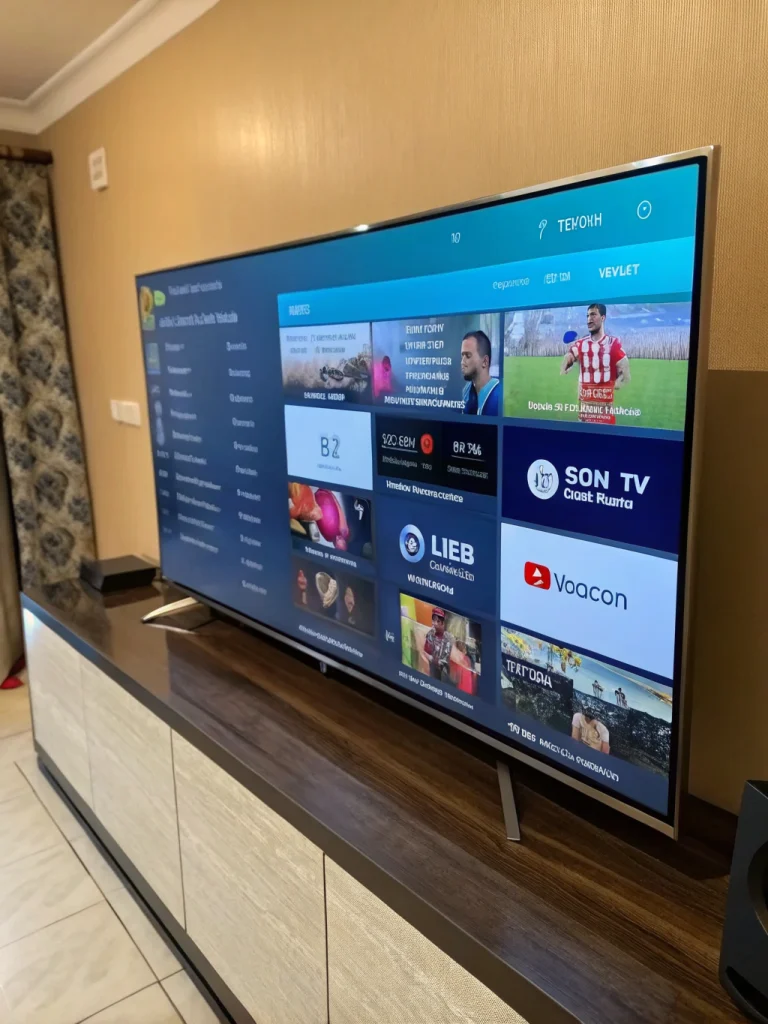
- Android TV / Google TV / Smart TV — no extra hardware needed if your TV runs Android TV OS
- Android TV Box (e.g., Nvidia Shield) — best for 4K feeds and large channel lists without lag
- iPhone / iPad — GSE Smart IPTV or IPTV Smarters Pro (sideloaded, since Apple restricts some IPTV apps in the App Store)
- Windows / Mac — VLC opens M3U playlists natively with zero extra setup
For match day, connect your streaming device to the TV over HDMI and, if possible, plug the device into your router with an Ethernet cable rather than relying on Wi-Fi — this matters most during high-traffic moments like a penalty shootout, when everyone on your network and everyone on the provider’s servers is watching the same thing.
Fixing Buffering and Stream Quality Issues
- Test your speed first. Aim for at least 10 Mbps for stable HD and 25+ Mbps for 4K or multiple simultaneous streams. Check at fast.com before kickoff.
- Use Ethernet over Wi-Fi. A wired connection removes interference and congestion that wireless networks pick up during peak hours.
- Close background apps and other streams. Free up bandwidth and device RAM, especially on a Fire Stick or older Android box.
- Drop stream quality if needed. Switching from 4K/FHD to HD is often the fastest fix if a stream stutters mid-match.
- Switch to a backup stream. Providers with multiple mirrors for high-demand fixtures let you jump to another feed instead of waiting out a frozen one.
- Restart the app, not just the stream. A full app restart clears cached playlist data that can cause channel-not-found errors after a schedule update.
Is IPTV Legal for Watching Copa América?
Yes — when you use a licensed provider. IPTV is simply a delivery technology; it is not inherently illegal any more than cable or satellite is. The legal line is drawn by whether the service has the rights to redistribute the channels it sells. Providers that transparently list the broadcasters in their package and operate as registered businesses are functionally the same, legally, as subscribing to any pay-TV service. Unlicensed 'everything for $10' IPTV resellers that stream copyrighted sports without authorization carry real legal exposure for the operator and often bundle malware into their apps, so it’s worth checking that a provider is upfront about what it carries before you subscribe.
Looking Ahead: Copa América 2028 in the USA
CONMEBOL and CONCACAF have been in advanced discussions to bring the next Copa América to the United States, following the successful expanded 2024 edition, which was also hosted stateside. If confirmed, a US-hosted 2028 tournament would likely mean even deeper English- and Spanish-language coverage across Fox, Univision, and TUDN, plus streaming simulcasts on ViX and the Fox Sports app — all of which are exactly the kind of channels a sports-focused IPTV package is built to carry. Whichever country ultimately hosts, IPTV remains the most flexible way to watch every match without being tied to one country’s broadcast footprint.
Why RevoIPTV for Copa América
RevoIPTV is built for fans who need the stream to hold up during the biggest moments, not just kickoff. Highlights for tournament football specifically:
- Sports channels spanning Latin America, the US, and Europe in one subscription
- Dedicated sport servers with anti-freeze and anti-buffer handling for high-demand fixtures
- HD and 4K options depending on the source broadcast
- Works with every major IPTV app across Fire Stick, Android, iOS, and desktop
- 24/7 support to resolve issues before kickoff, not after
- Monthly, quarterly, or annual plans with no long-term lock-in
Start with a free IPTV trial to confirm your Copa América channels load cleanly on your own device, browse full plan details on the pricing page, and check device walkthroughs in the tutorials hub. Fans in Colombia specifically can see local setup notes on the Colombia IPTV page, and you can browse other tournaments and leagues covered on RevoIPTV’s applications page. For anything not covered here, the FAQ page has quick answers.
FAQ
Can I watch Copa América live with an IPTV subscription?
Yes. An IPTV package that includes the relevant Latin American, US, or European sports channels gives you live access to every Copa América match regardless of your physical location, as long as your provider is licensed to carry those channels.
Which channels show Copa América?
In the US, Univision, UniMás, TUDN, ViX, Fox, FS1, and FS2 typically carry the tournament. Regional coverage runs through broadcasters like Telefe and TyC Sports (Argentina), TV Globo and SporTV (Brazil), Win Sports and Caracol (Colombia), and RDS/TSN in Canada.
Is IPTV legal for streaming sports like Copa América?
IPTV as a technology is legal everywhere. What matters is whether the provider has broadcasting rights to the channels it sells. Licensed IPTV providers are legally equivalent to a cable or satellite subscription; unlicensed resellers of copyrighted sports feeds are not.
Do I need a VPN to watch Copa América with IPTV?
Not with a licensed provider like RevoIPTV, which doesn’t apply geographic restrictions on its own channels. A VPN can help if your local ISP throttles streaming traffic during high-demand events, but it isn’t required for access.
What internet speed do I need to stream Copa América in HD?
Plan for at least 10 Mbps for stable HD streaming and 25 Mbps or higher for 4K or multiple simultaneous streams in the household. Test your connection at fast.com before kickoff.
Will Copa América 2028 be hosted in the USA?
It hasn’t been formally confirmed, but CONMEBOL and CONCACAF have held advanced talks about a US-hosted 2028 edition following the expanded 2024 tournament, which was also played in the United States.
Join the conversation
Read next

0 responses on “How to Watch Copa América Live via IPTV (2026 Guide)”