
How to update MAG?

Sometimes the best way to fix an issue is to update the MAG box to the latest version of the released firmware. The below instructions will guide you through on how to update your MAG box firmware.
How to update Firmware of the MAG box
Disconnect the MAG box from the internet.
Reset the MAG box.
Wait until you can see the “Page Loading Error” on the screen.
Plug-in the Internet cable to the box.
By selecting the Embedded Portal, the box will be updated with the latest version.
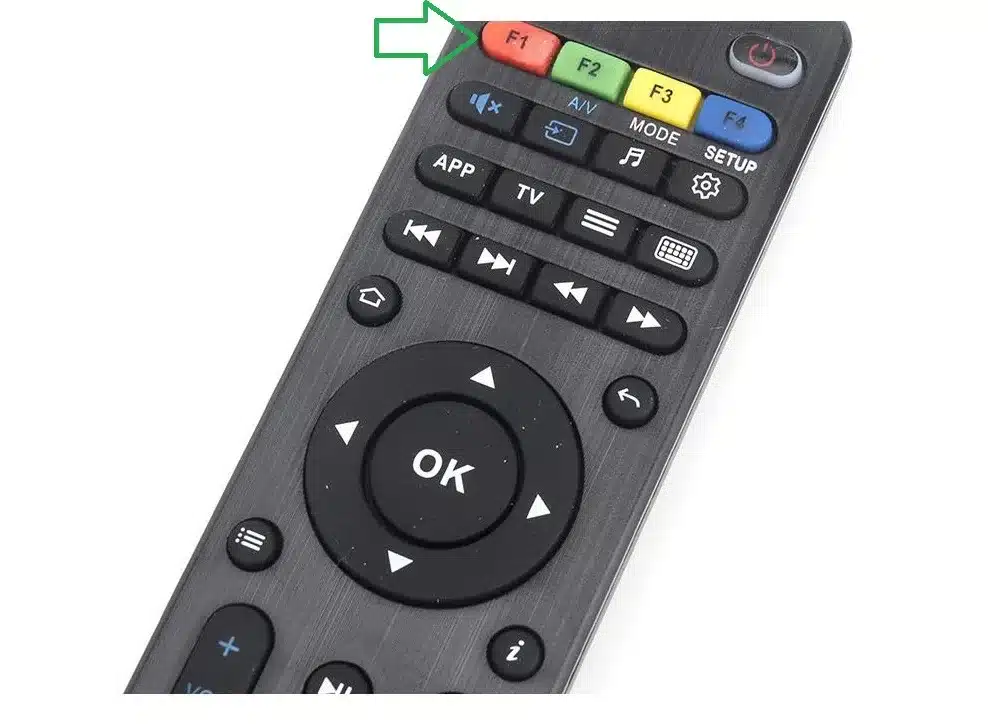
If the automatic update does not start, press the SET button on the remote, select “software update”, press OK and then press the F1 button.
Some of the MAG devices lose the portal settings after updating the device to the latest version of system software and this will not allow the clients to add any portal addresses to the device.
In this method, we will teach you how to downgrade the system software to the latest version via a USB drive.
How to update MAG via USB
In order to update STB from System settings via a USB:
Step 1: Make sure that your USB drive matches the requirements.
Step 2: Download the required SW image file (imageupdate).
Note. Latest version of Factory SW image is accessible on manufacturer’s server: http://update.infomir.com/mag/<model>/imageupdate (<model> – number of STB model). For example, for MAG322: http://update.infomir.com/mag/322/imageupdate
Step 3: Createdirectory mag<model> in the root of the USB drive and write “imageupdate” file to this directory. For instance, for the MAG322 directory name: mag322.

Step 4: Connect prepared USB-drive to STB. You can use any USB connector of STB: both rear or front.
Step 5: Open Settings⇒ System settings ⇒ Software update.
Step 6: In Software update window set Update method = USB. You can see two new strings:
- Disk – name of USB-drive;
- Path – Path to update file on the USB-drive.
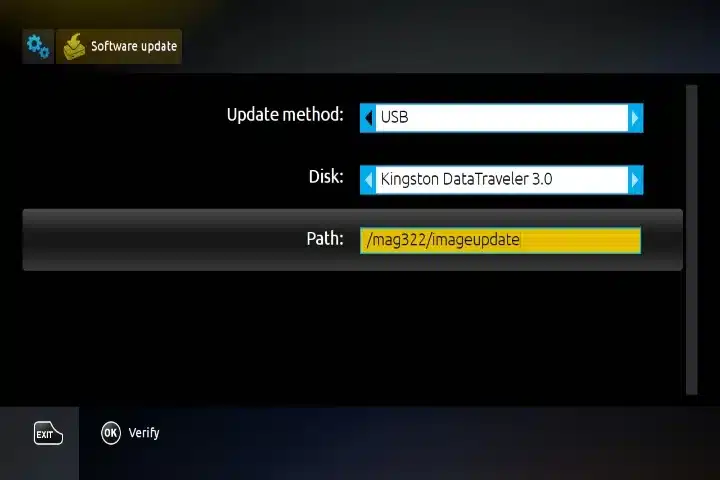
Step 7: Select Verify (OK) to make sure that STB can detect “imageupdate” file.
Step 8: If the file is detected and readable successfully you’ll see Software Update window.
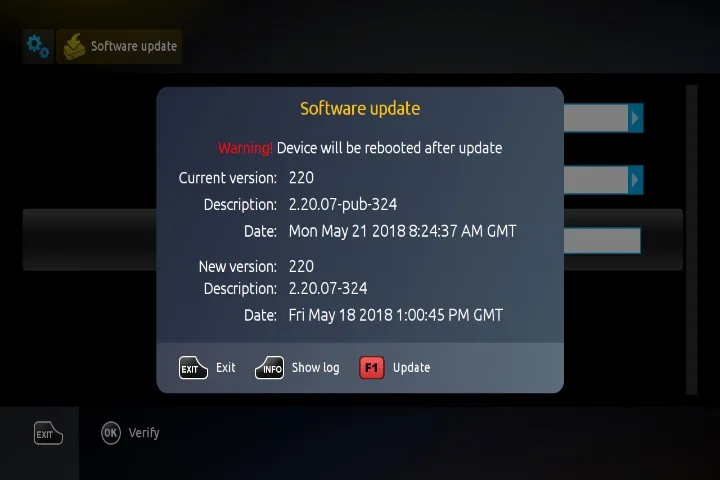
Step 9: In the Software Update window displays descriptions of the firmware versions: the Current version (operating in STB) and New version (available on a USB drive).
Step 10: Select subsequent operation after comparing Current and New versions:
- To reject update push Exit.
- To start update push Update (F1).
Step 11: The status of the software update is displayed by the progress bar and comments. To view the log of update user may push Show log (Info on RC).
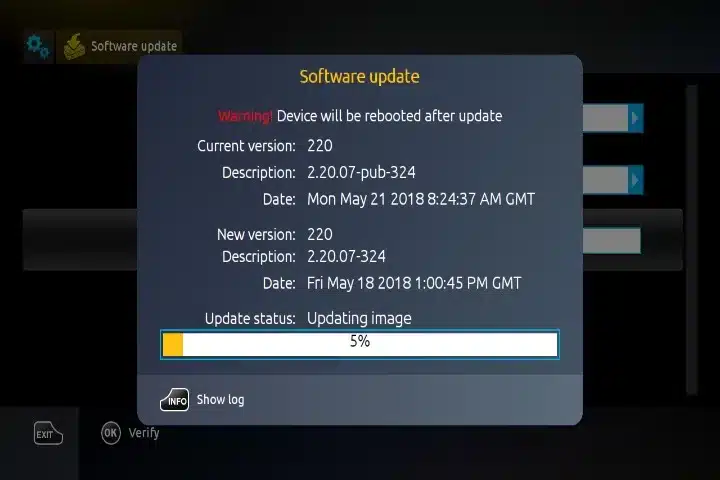
Step 12: Wait until the update process is complete. After completing the update, the STB automatically reboots.
Note. Do not turn off STB and plug off USB drive until the end of the update.

0 responses on “How to update MAG?”