
How to setup IPTV on Smart TV via SS IPTV?

SS IPTV is a free multi-purpose player for streaming media in the local network or through the internet. The app is compatible with the services of hundreds of IPTV operators. User’s own IPTV playlists are also supported. How to setup IPTV on Smart TV via Smart IPTV App(SIPTV)?
This app is available for streaming IPTV channels on LG, Samsung, Philips, and Sony TV sets, the installation methods are described below. What is Internet streaming?
LG: SS IPTV may be installed from official LG Smart World on this platform, in any country.
Samsung: The app works on D-series models and higher. SS IPTV may be installed from official Samsung Smart Hub on this platform, in any country.
Philips: In order to launch app enter in TV’s browser address bar app.ss-iptv.com.
Sony: The app is in beta-testing on Sony Smart TV, so the working of some function or whole app is not guaranteed. The app can be used on Sony Smart TV starting from 2013 TVs and higher.
How to add IPTV channels to SS IPTV
Step 1: To upload user playlist press “Settings” button of the main screen.
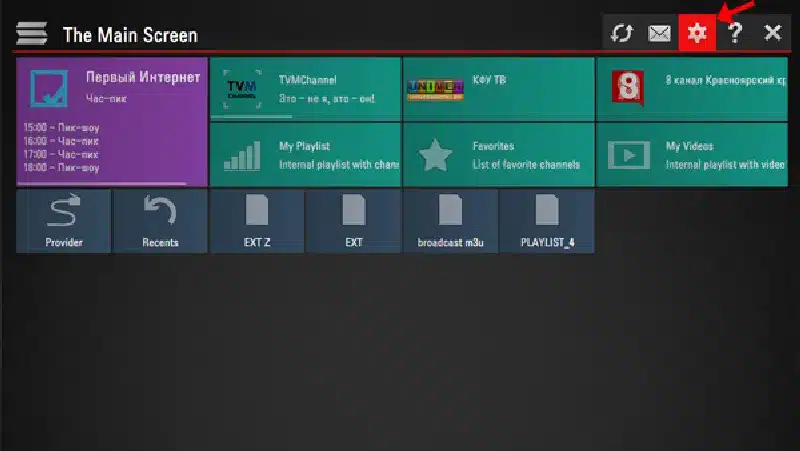
Step 2: There are two methods to upload your playlist.
- Uploading by link (external playlists)
- Uploading with non-permanent access code (internal playlists)
The user may have any number of external playlists and only one internal playlist with live channels and one with VoD streams (films).
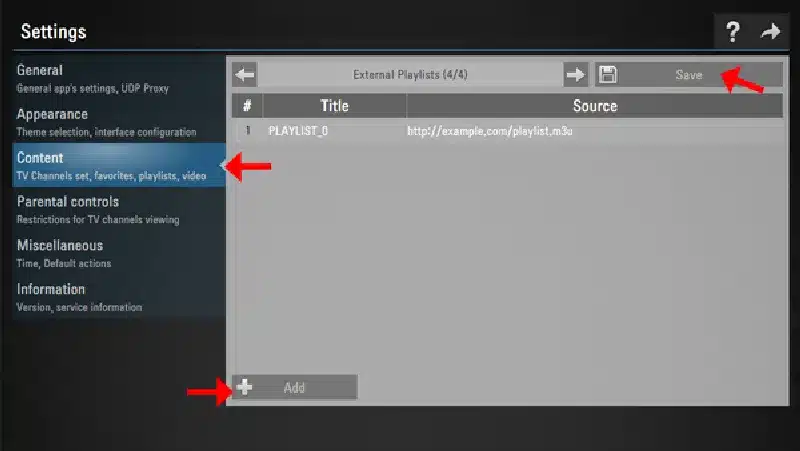
To upload playlist by link go to the Content section of the app’s settings, choose External playlists subsection and click Add button below the screen. Enter desired playlist’s title and the link of your playlist in corresponding fields and press Save button. The playlist will be available on the Main Screen through a separate tile.
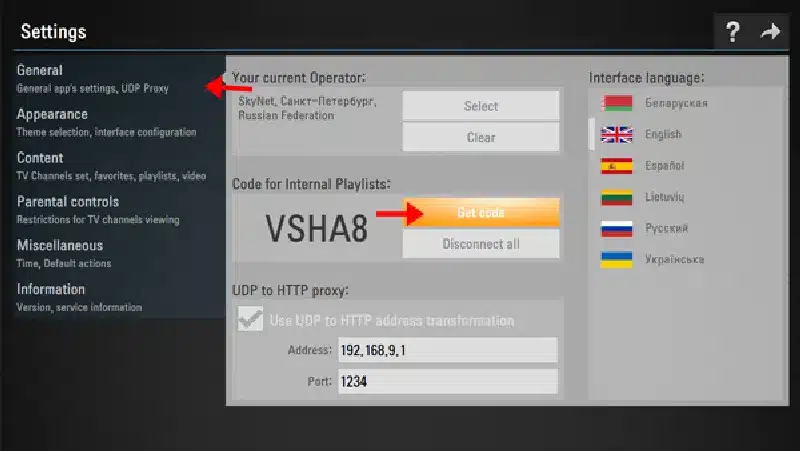
Step 3: To upload a playlist with non-permanent code go to General subsection of the app’s settings and press Get code button. The non-permanent code can be used only 24 hours (or till new code is generated)
Step 4: Enter received code at this URL http://ss-iptv.com/users/playlist and press Add Device button.
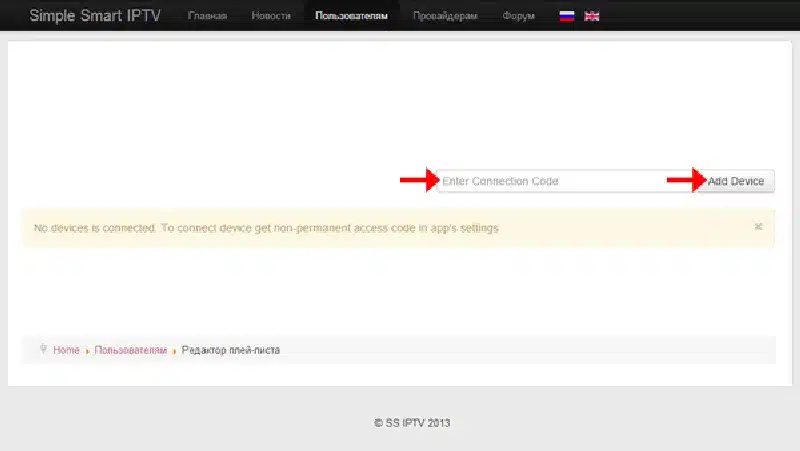
Step 5: When the connection was made select playlist file in your PC and upload it by pressing Save button. The internal playlist will be available through tile My playlist on the Main Screen.
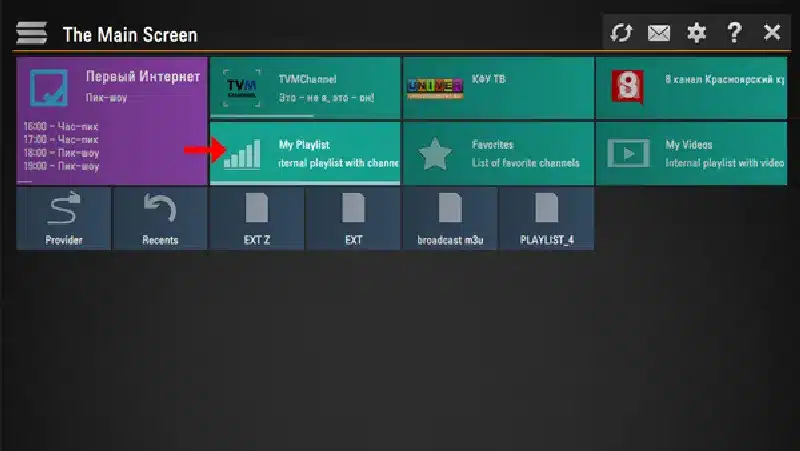
New uploaded internal playlist replaces the older one.
Main features
- Simple access to the content of partnered operators
- Using playlist of the most widespread formats: m3u, xspf, ASX, pls
- Parental controls
- Time markers in TV Guide for automatic changing channels in desired time.
- Flexible appearance adjustment
Let us know in the comments section below about your opinion and feedback concerning this article. Thank you in advance.

0 responses on “How to setup IPTV on Smart TV via SS IPTV?”