
IPTV USA 2026: Legal Providers, Best Devices, and Easy Setup

IPTV USA refers to watching live television, sports, and on-demand video over your home internet connection instead of cable or satellite, using a licensed streaming service and an app on your TV, phone, or streaming box. It typically costs $15-$25 a month, works on almost any device you already own, and — as long as you pick a properly licensed provider — is completely legal.

This guide breaks down exactly what IPTV USA means, how to tell a legal service from a risky one, the best devices for streaming in 2026, and a step-by-step setup walkthrough. If you specifically want a side-by-side comparison of providers, see our best IPTV service comparison for the USA; if you only care about the legal question, read our dedicated IPTV legality guide.
What Is IPTV and How Does It Work?
IPTV, short for Internet Protocol Television, delivers TV programming as data packets over the internet rather than through a coaxial cable line or satellite dish. A licensed provider encodes live broadcast feeds and video-on-demand libraries, then streams them to an app on your device over your existing broadband connection — the same way Netflix or YouTube TV deliver video, just with a live-channel-first structure and, usually, an Electronic Programme Guide (EPG).
To stream IPTV USA content reliably you need three things:
- A stable broadband connection — at least 10-25 Mbps for a single HD stream, 25-50 Mbps for 4K, and more if multiple devices stream at once (see the speed table below).
- A compatible device — smart TV, Amazon Fire TV Stick, Roku, Android box, Apple TV, phone, tablet, or computer.
- A licensed subscription — a provider that has actually paid for the rights to the channels it delivers.
Unlike cable, IPTV has no dish alignment, no truck roll, and no multi-year contract — you sign up online, log in on your device, and start watching within minutes.
Is IPTV Legal in the USA?
Yes — IPTV itself is just a delivery technology and is completely legal; what matters is whether the service holds proper licensing. Legitimate services such as YouTube TV, Hulu + Live TV, and licensed subscription providers like RevoIPTV pay broadcasters and rights holders for the content they retransmit. Services that stream copyrighted channels without paying for that content — often advertised as ‘free IPTV’ or suspiciously cheap ‘premium’ packages found through unofficial app stores — are operating illegally, regardless of what they call themselves.
The practical risk to an individual user of an unlicensed service is real: under U.S. copyright law, statutory damages for infringement can range from $750 to $30,000 per work, rising to as much as $150,000 for willful infringement, and providers have been shut down mid-subscription with no refund. For the full legal breakdown, including how to spot a pirate service before you pay, see our complete IPTV legality guide.
How to Choose a Legal IPTV Provider in the USA
Before subscribing to any IPTV USA service, check these six factors:
- Licensing and transparency — Does the provider publish real terms of service and a legitimate business identity, rather than hiding behind anonymous Telegram or Discord sales channels?
- Channel lineup — Does it carry the US local networks (ABC, CBS, NBC, FOX), regional sports, and international channels you actually want?
- Streaming quality — Are HD and 4K streams stable, with redundant servers to avoid outages during big live events?
- Device compatibility — Does it support the hardware you already own without forcing a new purchase?
- Customer support — Is there responsive live chat or email support, not just a sales bot?
- Free trial — Can you test real streams before paying?
RevoIPTV is a legal, licensed IPTV provider built around these criteria: a large US and international channel lineup, stable HD/4K streaming, broad device support, and responsive customer service. Start a free IPTV trial to test the service, or view current RevoIPTV pricing and plans. If you want a deeper feature-by-feature comparison against other IPTV USA services, see our best USA IPTV service guide.
IPTV vs Cable vs Free/Illegal IPTV
The table below compares the three realistic options for US viewers in 2026.
| Factor | Traditional Cable | Licensed IPTV Subscription | Free / Illegal IPTV |
|---|---|---|---|
| Monthly cost | $80-$150+ | $15-$25 | ‘Free’ or under $10 |
| Contract | Often 12-24 months | None, cancel anytime | None, but service may vanish anytime |
| Streaming quality | Consistent, not internet-dependent | Stable HD/4K with good provider | Inconsistent, often SD with buffering |
| Legal risk | None | None — fully licensed | High — unlicensed content |
| Customer support | Scheduled technician visits | 24/7 live chat/email (quality varies) | Usually none |
| Device flexibility | Set-top box only | TV, phone, tablet, PC, streaming box | Varies, often unofficial apps |
Best Devices for IPTV USA Streaming in 2026
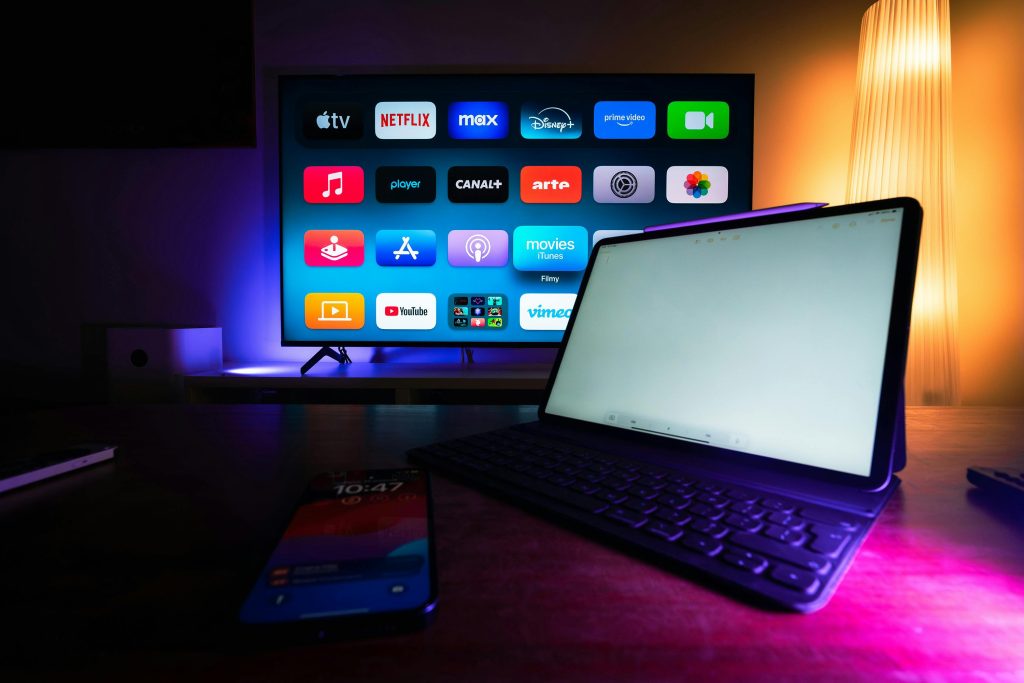
IPTV apps run on almost any internet-connected screen. Here’s what actually performs well for US viewers this year.
Streaming Sticks and Boxes
- Amazon Fire TV Stick 4K Max — The most widely used IPTV device in the US. Small, HDMI-powered, under $60, and supports all major IPTV player apps with minimal setup.
- Roku Streaming Stick 4K — Simple interface and the broadest smart-TV-style app support; a strong pick for beginners who don’t want to sideload anything.
- Nvidia Shield TV Pro — The most powerful Android TV box available; built for high-bitrate 4K streams, large EPGs, and AI upscaling of lower-resolution channels — ideal if you run multiple simultaneous streams or a big channel list.
- Apple TV 4K (3rd gen) — Best choice if you’re already inside the Apple ecosystem; supports the major IPTV apps available on the App Store.
Smart TVs
- Android TV / Google TV sets (Sony, TCL, Hisense) — Install IPTV apps directly from the Play Store, no external box needed.
- Samsung Tizen TVs — Support IPTV through select Smart TV apps and Smart IPTV-style players.
- LG webOS TVs — Compatible with IPTV apps available through the LG Content Store.
Mobile and Computer
- iOS and Android phones/tablets — Dedicated apps like IPTV Smarters Pro for on-the-go viewing.
- Windows and Mac — Stream through a browser or a desktop IPTV player app such as TiviMate or Perfect Player.
Browse device-specific setup walkthroughs in the RevoIPTV applications directory or the full IPTV tutorials hub.
Internet Speed Requirements for IPTV USA
Buffering is almost always a speed or connection-stability issue, not a provider issue. Use this table as a baseline, per device streaming simultaneously:
| Stream quality | Minimum speed (per stream) | Recommended speed |
|---|---|---|
| SD | 5 Mbps | 8-10 Mbps |
| HD (1080p) | 10 Mbps | 15-25 Mbps |
| 4K | 25 Mbps | 50 Mbps |
If more than one device streams at once — say two HD streams and one 4K stream — add each stream’s recommended speed together and build in a 30-50% buffer for background traffic like firmware updates and video calls. A wired Ethernet connection is always more stable than Wi-Fi for a primary TV setup, since it avoids interference and channel congestion from other 2.4GHz/5GHz devices in the house.
How to Set Up IPTV in the USA: Step-by-Step
- Test your internet speed — Use Fast.com or Speedtest.net and confirm you meet the table above for your target resolution.
- Choose a legal provider — Sign up for a plan at RevoIPTV, or start with a free trial first.
- Download the IPTV app — Install the recommended player for your device (Fire TV Stick, Roku, smart TV, phone, etc.) from its official app store.
- Enter your credentials — Log in using the username, password, and server/M3U URL provided in your subscription confirmation email.
- Load the EPG — Configure the Electronic Programme Guide so you can browse the schedule and set reminders; allow up to 10 minutes for it to populate on first login.
- Organize favorites — Star or pin your most-watched channels for quick access.
- Start streaming — Browse live TV, video-on-demand, or catch-up content.
The whole process typically takes under 10 minutes once you have your login details.
Troubleshooting Common IPTV USA Issues
- Buffering — Re-check your internet speed, switch from Wi-Fi to Ethernet, or lower the stream quality setting in the app.
- EPG not loading — Refresh the EPG in app settings; allow up to 10 minutes after first login for the guide to populate.
- App crashes on Fire TV Stick — Clear the app cache (Settings > Applications > Manage Installed Applications) and restart the device.
- Channels not loading — Contact your provider’s support; this is usually a temporary server-side issue resolved quickly by the provider, not a problem with your setup.
FAQ
Is IPTV legal in the USA in 2026?
Yes — IPTV is legal in the USA when you subscribe to a properly licensed provider. The technology itself is neutral; legality depends on whether the service paid for the rights to the channels it streams. For the full breakdown, see our dedicated legality guide.
What is the best IPTV provider in the USA?
The best IPTV USA provider is legally licensed, carries the channels you want, delivers stable HD/4K streams, and offers responsive customer support. RevoIPTV meets all four criteria — try it free before committing, or compare options in our best USA IPTV service guide.
How much does IPTV cost in the USA?
Legal IPTV subscriptions in the USA typically run $15-$25 per month, well below the $80-$150+ average for comparable cable packages, and annual plans usually add further savings. See current RevoIPTV pricing.
What internet speed do I need for IPTV in the USA?
Plan for at least 10 Mbps for a single HD stream and 25-50 Mbps for 4K. Add extra headroom for each additional simultaneous stream, and use wired Ethernet where possible for the most stable connection.
Does IPTV need the internet, and how is it different from cable?
Yes — IPTV depends entirely on your broadband connection, unlike cable, which runs over a dedicated coaxial line and isn’t affected by internet outages. In exchange, IPTV offers lower cost, no contracts, and the ability to watch on any device rather than a single set-top box.
Can I watch local US channels on IPTV?
Yes — most quality IPTV USA providers include local broadcast channels (ABC, CBS, NBC, FOX) for major US markets, alongside cable networks and international channels. Confirm the specific markets covered with your provider before subscribing.
What devices work best for IPTV in the USA?
The Amazon Fire TV Stick 4K Max offers the best balance of price and simplicity, while the Nvidia Shield TV Pro is the top choice for heavy multi-stream or large-EPG use. Roku and Apple TV 4K are solid no-sideloading alternatives, and most current smart TVs support IPTV apps directly.
Join the conversation
Read next

0 responses on “IPTV USA 2026: Legal Providers, Best Devices, and Easy Setup”