
How to Record IPTV on a Smart TV (2026 Guide)
You can record IPTV three main ways: through a Smart TV’s built-in USB PVR (broadcast channels only), through an IPTV player app with DVR such as TiviMate (subscription streams, most flexible), or with a dedicated PVR box or PC/NAS setup for hands-off scheduled recording. Which one works for you depends on whether your TV has a tuner, whether your IPTV app supports recording, and how much storage you’re willing to dedicate.

Can You Record IPTV on a Smart TV?
It depends on the source of the stream. Samsung, LG, Sony, and Hisense Smart TVs generally include a USB PVR or Timeshift feature, but that feature only records the TV’s own tuner input — Freeview, Freesat, DVB-T/T2, or cable. It cannot record a streaming IPTV subscription playing inside an app, because IPTV apps run as sandboxed software and don’t expose the TV’s native record button to internet video for licensing and DRM reasons. To capture an IPTV stream, you need either an app with a built-in DVR engine (like TiviMate) or separate recording hardware/software sitting between the stream and your storage. For a full list of compatible apps and devices, see the RevoIPTV applications guide.
Method 1: Smart TV Built-In USB PVR (Broadcast Channels Only)
This is the simplest option if you also receive channels through an aerial or satellite input, not through an IPTV app.
What you need
- A Smart TV with PVR support (check Settings > Recording, or the manual, for “USB HDD Record”).
- A USB hard drive of at least 500 GB (roughly 125 hours of HD) — 1 TB or more if you record often.
- A drive with sustained write speeds above 25 MB/s to avoid dropped frames; many TVs will format the drive to NTFS or a proprietary format on first connection.
Steps
- Plug the USB drive into the port labelled “HDD REC” if the TV has one — it supplies more power to spinning-disk drives.
- Allow the TV to format or register the drive when prompted.
- Tune to the channel you want and press the red Record button on the remote, or open the EPG and select Schedule Record for a future programme.
- Recordings appear in the TV’s Recordings or Media menu.
A single-tuner TV can only record the channel you’re currently watching; a dual-tuner TV lets you record one channel while watching another. This tuner limit is the single biggest reason IPTV users move to Method 2 or 3 below.
Method 2: DVR Inside an IPTV Player App (Best for IPTV Subscribers)
This is the method most RevoIPTV subscribers actually want, since it records the subscription stream itself rather than a tuner input. TiviMate is the most widely used Android/Fire TV IPTV player with DVR, but IPTV Smarters Pro and a handful of others offer similar recording modules.
Requirements
- An Android-based device: Android TV box, Fire TV Stick/Cube, or Nvidia Shield. Native Smart TV OS apps (Tizen, webOS) typically lack this feature.
- TiviMate’s DVR function is a Premium add-on (a small annual fee) — the free tier does not record.
- Accurate EPG data for the channel, or the ability to enter a custom start time/duration manually if EPG data is missing.
- Internal device storage or, better, an external USB drive formatted FAT32 or exFAT.
How to record with TiviMate
- While watching a live channel, press OK/Select on the remote and choose Record to start capturing immediately.
- To schedule ahead, open the channel’s EPG entry, select the upcoming programme, and choose Record or Record Series for recurring shows.
- Add a few minutes of padding before and after in Settings > Recording & Timeshift to cover schedule drift.
- Recordings continue in the background — you can switch to another channel without stopping the capture.
- Access finished recordings from the main menu; play them in TiviMate, VLC, or any player that supports the .ts (MPEG-TS) container. Long recordings are automatically split into roughly 4 GB segments.
Check the RevoIPTV tutorials hub for device-specific TiviMate setup guides.
Method 3: Dedicated PVR Box or PC/NAS Recording
For hands-off, always-on recording independent of any single app, a standalone box or a small home server is the most capable route.
Dedicated PVR set-top boxes
Devices like a Formuler Z-series box, an Enigma2 receiver, or a MAG box with PVR support can record IPTV streams to an internal or external drive, often while displaying a different channel. Internal drives from 500 GB to 2 TB hold roughly 125 to 500+ hours of HD content, and better models support full EPG scheduling plus series recording.
PC or NAS-based recording
- Kodi + PVR IPTV Simple Client — links your M3U playlist to Kodi’s PVR/DVR backend for scheduled, unattended recording.
- VLC Media Player — records a stream URL manually via Media → Open Network Stream → enter the URL → click the arrow beside Play → Convert. Good for one-off captures, not scheduling.
- Plex or a home media server — some users pair a DVR front end with Plex for organized playback across devices once the recording is captured.
Some IPTV providers also offer Cloud DVR, where selected programmes are recorded to the provider’s own servers rather than your local storage, and streamed back on demand — convenient, but availability and retention windows vary by provider, so check the terms of your specific service.
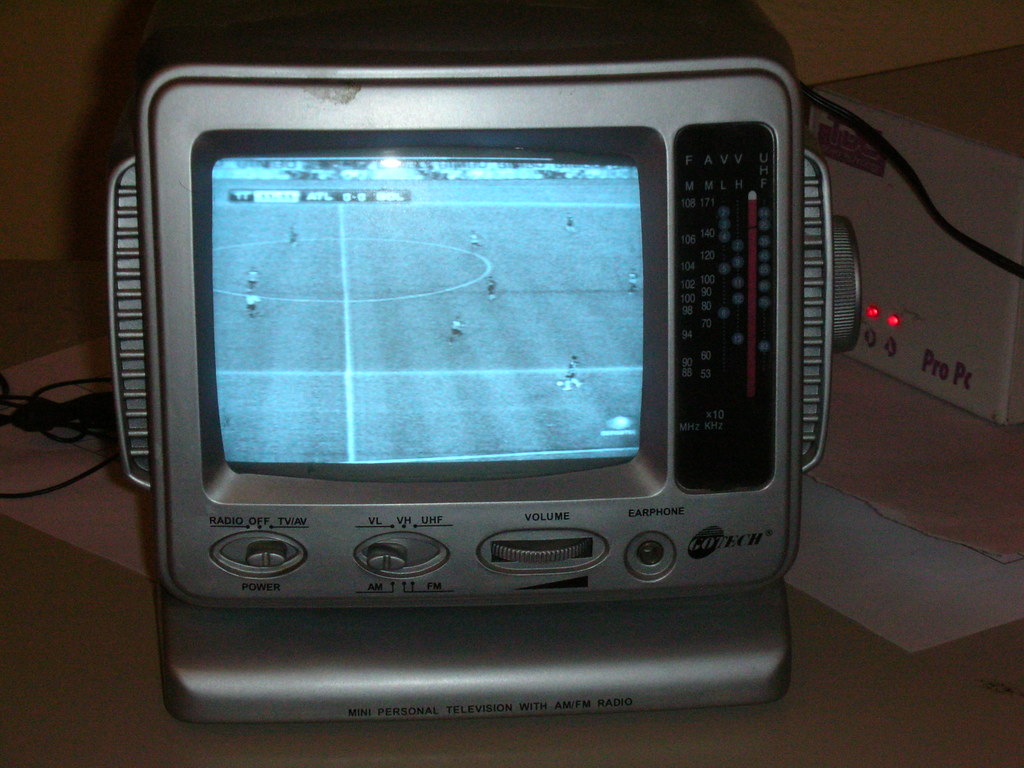
Which Method Should You Use? Quick Comparison
| Method | Records IPTV app streams? | Simultaneous watch + record? | Setup effort | Cost |
|---|---|---|---|---|
| Smart TV USB PVR | No (tuner/broadcast only) | Only with 2+ tuners | Low | Free (drive only) |
| TiviMate DVR (app) | Yes | Yes, background recording | Low-medium | Small annual fee + storage |
| Dedicated PVR box | Yes | Yes, bandwidth permitting | Medium | One-time hardware cost |
| Kodi / PC / NAS | Yes | Yes | High | Free software, own hardware |
How Much Storage Do You Actually Need?
Storage use scales with resolution and bitrate, not just runtime. Use this table to plan drive size:
| Quality | Approx. size per hour | Hours on a 500 GB drive | Hours on a 1 TB drive |
|---|---|---|---|
| SD | ~1 GB | ~450 | ~900 |
| HD (1080p) | 2–4 GB | 125–250 | 250–500 |
| 4K UHD | 7–10 GB | 50–70 | 100–140 |
A 1 TB external USB drive is a sensible middle ground for most households recording in HD.
What About DVD Recorders?
DVD recorders were common in the 2000s but are effectively obsolete for IPTV. A recordable DVD holds only 1–4 hours, recording quality tops out at SD, and they cannot capture HDTV streams at all. In 2026, a USB-PVR Smart TV, TiviMate DVR, or a dedicated PVR box are all better choices in every respect.
Tips for Better IPTV Recording Quality
- Use a wired Ethernet connection during recording — Wi-Fi drops are the most common cause of corrupted or truncated recordings.
- Format external drives correctly: FAT32/exFAT for app-based DVRs like TiviMate; follow the TV’s own prompt for built-in PVR.
- Add buffer time (5 minutes before/after) to scheduled recordings to absorb EPG timing drift.
- Check free space before scheduling a long or series recording — running out mid-recording truncates the file.
- Keep firmware and apps updated; DVR bugs (grayed-out record buttons, empty output files) are frequently fixed in app updates.
If you don’t yet have an IPTV subscription with apps that support DVR, try RevoIPTV free before committing — no credit card needed. Compare plans on the IPTV pricing and subscriptions page, or see reseller packages if you manage IPTV for others.
FAQ
Can I record IPTV directly on my Samsung or LG Smart TV?
Not the IPTV app stream itself. Samsung and LG Smart TVs record broadcast channels (Freeview, cable, satellite) via USB PVR, but the record function does not reach into IPTV apps. To record an IPTV subscription, use an app with built-in DVR (TiviMate), a dedicated PVR box, or a PC/NAS-based recorder.
Do I need TiviMate Premium to record IPTV?
Yes. TiviMate’s DVR and Timeshift functions are part of the paid Premium tier; the free version plays live TV and EPG but does not record.
How much storage do I need to record IPTV?
Roughly 2–4 GB per hour of HD content and 7–10 GB per hour at 4K. A 500 GB drive covers about 125–250 hours of HD recording; 1 TB doubles that. See the storage table above for exact figures by quality.
Can I watch one channel while recording another?
On a Smart TV’s built-in PVR, only with a dual-tuner (or higher) model. With TiviMate or a dedicated PVR box, background recording lets you switch channels freely while a recording continues, provided your internet bandwidth supports both streams.
What file format do IPTV recordings use, and what can play them?
Most app-based DVRs, including TiviMate, save recordings as .ts (MPEG-TS) files, split into roughly 4 GB segments for long recordings. These play back in the app itself, in VLC, and in most players that support the Transport Stream container.
Is it legal to record IPTV streams?
Recording for personal, non-commercial time-shifting from a licensed, authorized IPTV service is generally permitted — this is the same principle established by the U.S. Supreme Court’s Sony Betamax ruling for home VCR/DVR use. It does not extend to unlicensed or pirated sources, and redistributing, rebroadcasting, or selling recordings is not permitted under any circumstance. Always check your provider’s terms of service, and see the RevoIPTV FAQs for subscription-specific recording rights.
Join the conversation
Read next

What Is a MAG Box? IPTV Set-Top Boxes Explained (2026)
How to Record IPTV on a MAG Box (2026 Step-by-Step Guide)
0 responses on “How to Record IPTV on a Smart TV (2026 Guide)”